

How to sign up
- Open the event link — you’ll get this from the organizer via email, text, social media, or by scanning a QR code on a flyer.
- Browse available shifts — the event page shows a cover image, event title, date, and description, followed by a list of available shifts.
- Check availability — each shift shows its name, an “Open” or “Full” badge, and a fill count with a progress bar (e.g. “1 of 5 filled”).
- Tap Sign Up — click the blue Sign Up button on the shift you want.
- Enter your info — provide your name and email address.
- Confirm — you’ll see a confirmation page and receive a magic link via email.
What you’ll see on the event page
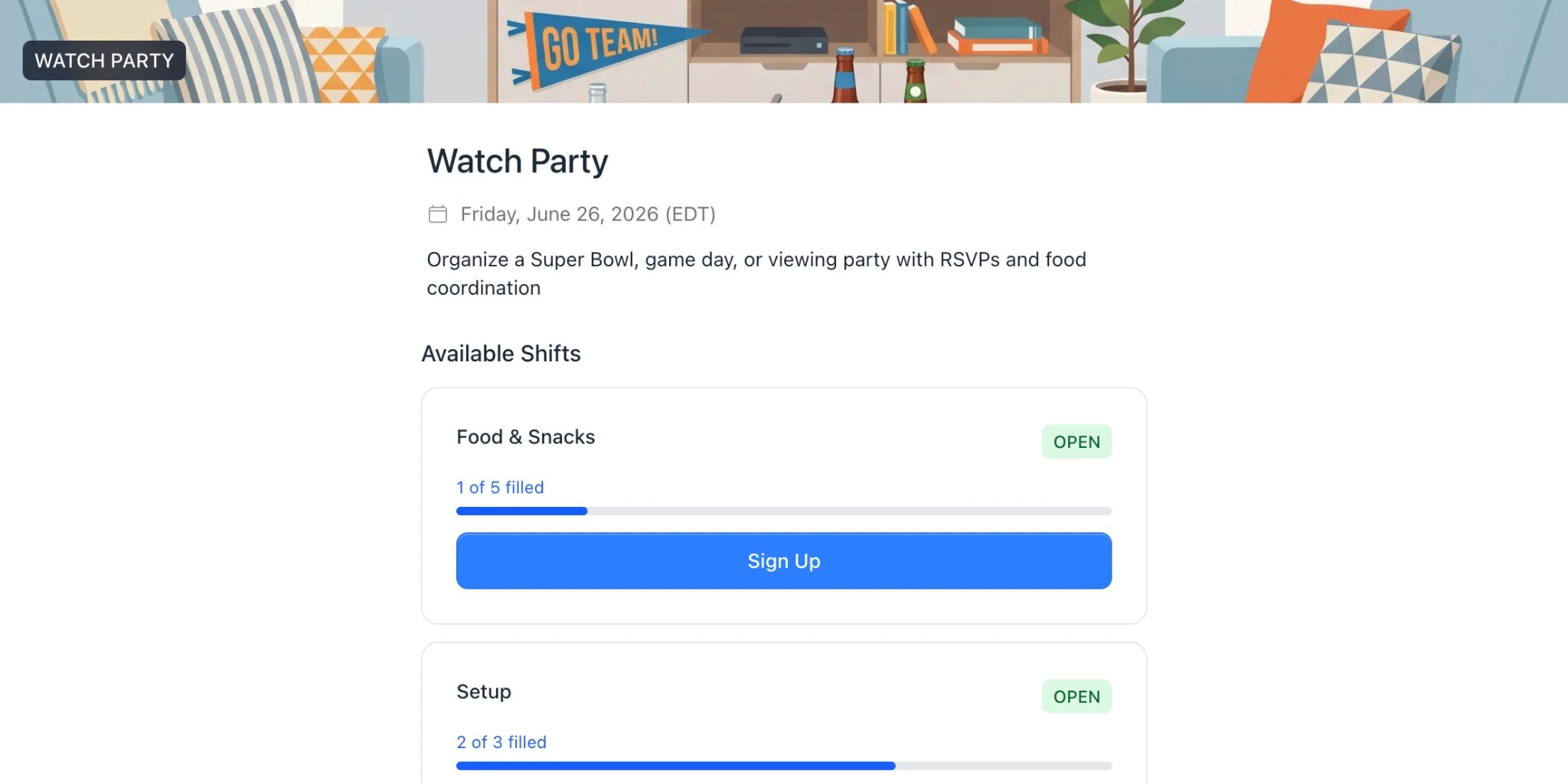
The public event page as volunteers see it
- The event title, date (with timezone), and description
- A list of shifts with availability and “Sign Up” buttons
Shifts that are full won’t have a Sign Up button — you can only sign up for shifts that still have open spots.