

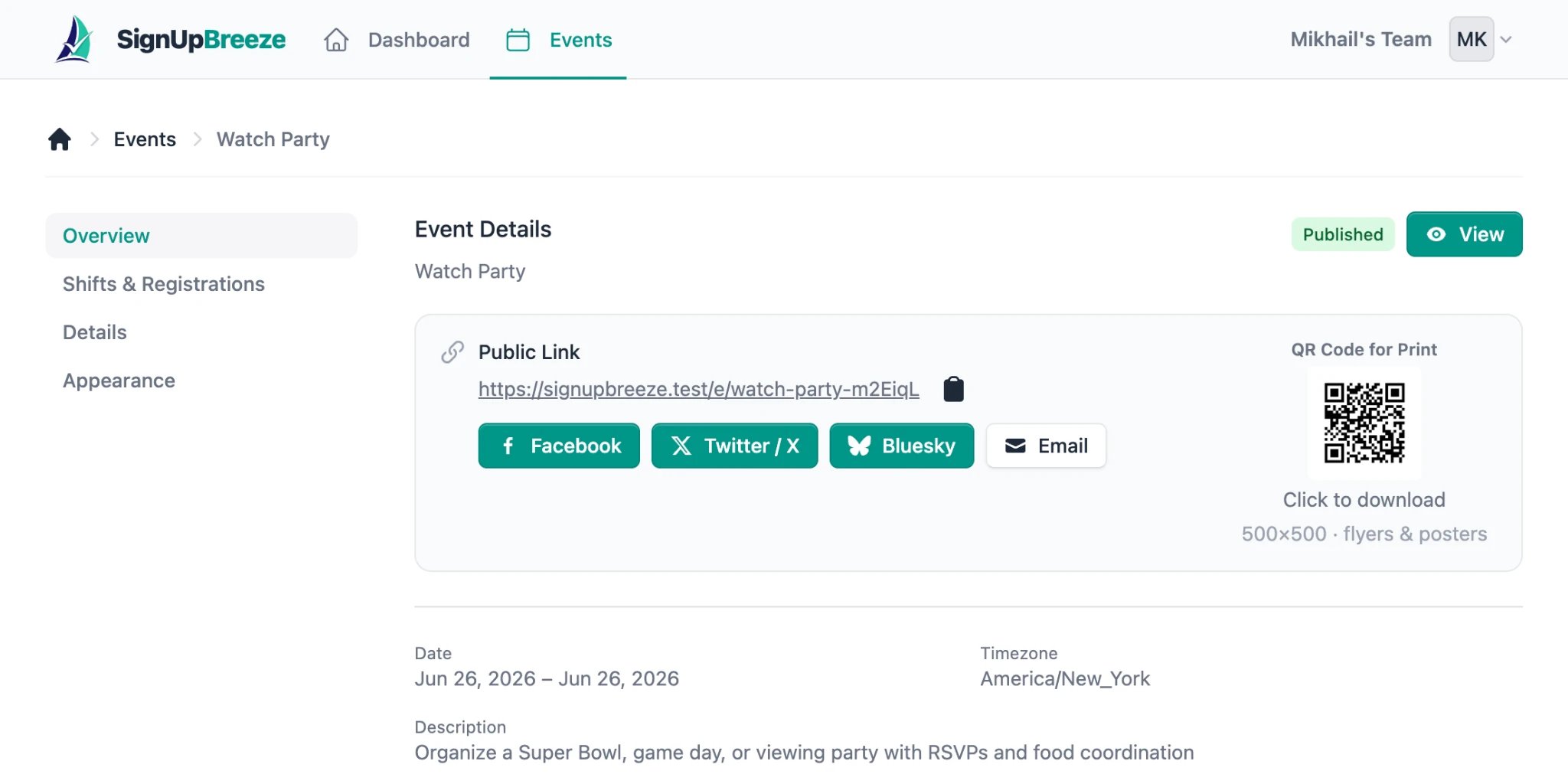
The Overview tab shows your public link, social sharing buttons, and QR code
Public event link
Every published event has a unique public URL displayed prominently on the Overview tab under “Public Link.” Click the copy icon next to the URL to copy it to your clipboard. The URL looks like:signupbreeze.com/e/watch-party-m2EiqL
Share this link via email, text message, social media, group chats, newsletters — anywhere you communicate with your volunteers.
Social sharing buttons
Below the public link, you’ll find one-click sharing buttons for:- Facebook — share directly to Facebook
- Twitter / X — post to X (formerly Twitter)
- Bluesky — share on Bluesky
- Email — open a pre-filled email with the event link
QR codes
Every event automatically gets a QR code, shown on the right side of the Overview tab under “QR Code for Print.” The default size is 500x500 pixels — sized for flyers and posters. Click the QR code to download it as a PNG image. Use it on printed materials like flyers, bulletin boards, church bulletins, or posters. When scanned, it takes the volunteer directly to your event’s signup page.Event preview
Click the View button in the top right of the event overview to see exactly what volunteers will see on the public event page. This lets you verify the cover image, description, shift list, and overall appearance before sharing.Tips for sharing
- Keep the event description concise — volunteers are often reading on their phones
- Include the key details upfront — date, location, what they’re volunteering for
- Use QR codes on printed materials — they make it effortless for people to sign up on the spot
- Use the social sharing buttons — one click and the link is posted
Customizing appearance before sharing
Before sharing, visit the Appearance tab to customize how your event looks to volunteers: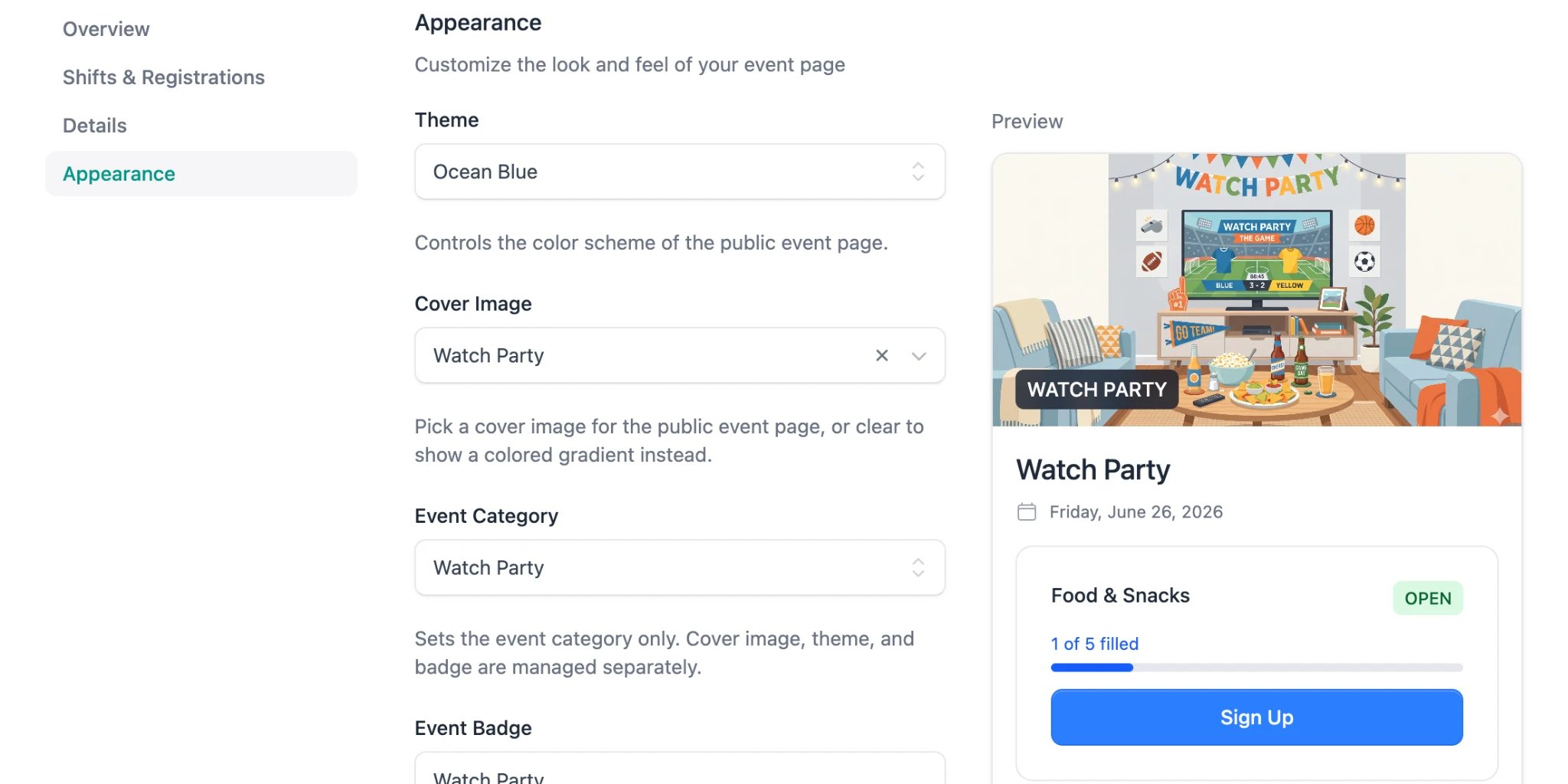
The Appearance tab with a live preview of your public event page
- Theme — choose a color scheme for the public event page (e.g. “Ocean Blue”)
- Cover Image — select from built-in illustrations that match your event type, or clear it to show a colored gradient instead
- Event Category — sets the event category (cover image, theme, and badge are managed separately)
- Event Badge — a text overlay displayed on the cover image (e.g. “WATCH PARTY”)