

Step 1: Create your account
Go to signupbreeze.com and sign up. You can register with your email or use Google or Apple sign-in. After verifying your email, you’ll land on your dashboard.Step 2: Create an event
From your dashboard, click Create Event. Select from a predefined template to get started quickly, or click Start from scratch to build your event from a blank slate.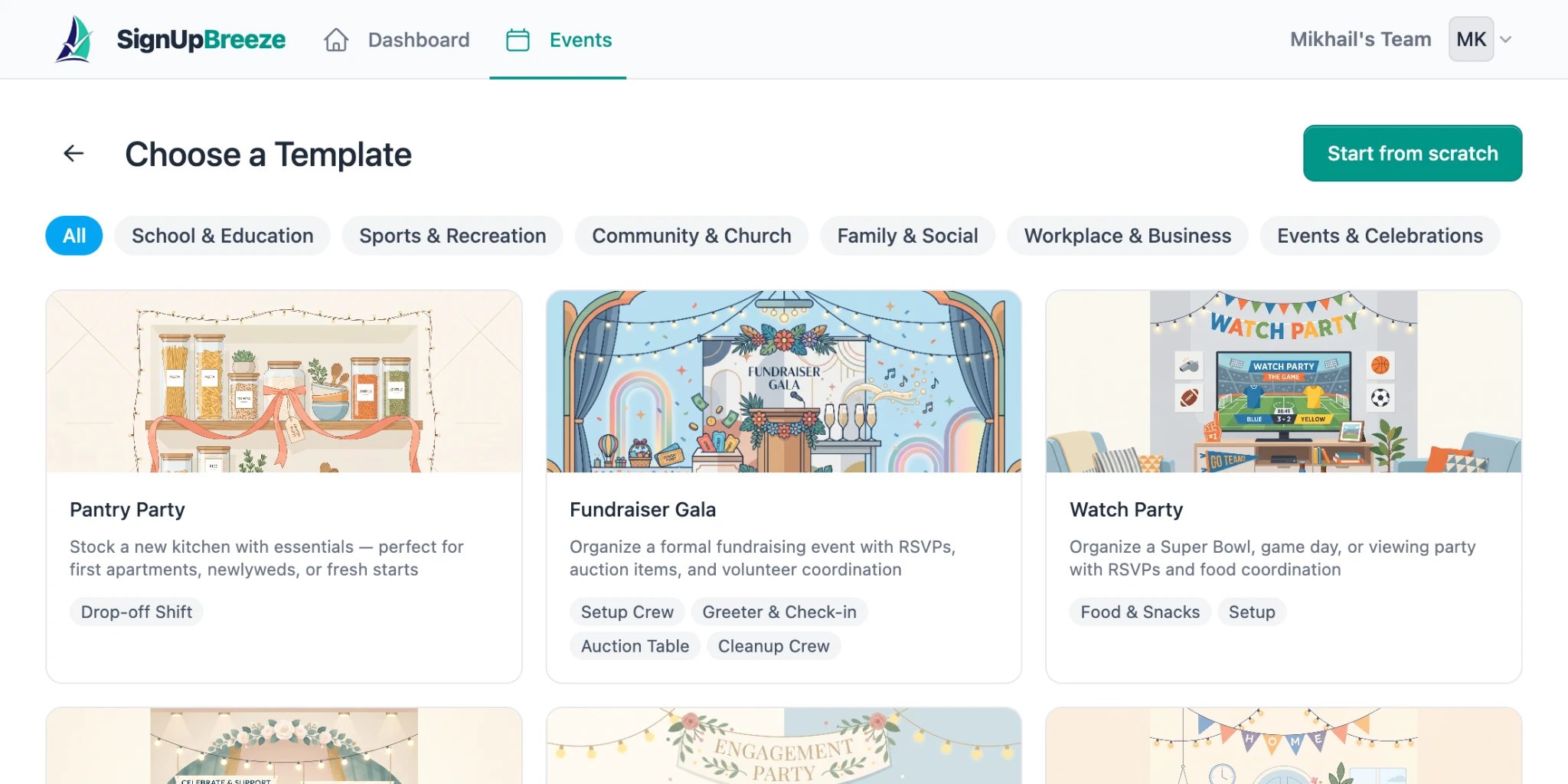
Choose a template or start from scratch
- Title — what you’re organizing (e.g., “Spring Bake Sale”)
- Description — details volunteers need to know
- Location — where it’s happening
- Date and time — when it starts and ends
Step 3: Add shifts
If you selected a template, shifts are added automatically based on the template’s structure — you can adjust them as needed. If you started from scratch, you’ll need to add shifts manually. Each shift needs a date, start time, end time, and the number of volunteer spots available. You can add as many shifts as you need — morning and afternoon slots, different days, different roles.Step 4: Publish and share your event
Before you can share your event, enable the Publish immediately toggle on the event page. Once published, your event gets a unique public URL and a QR code.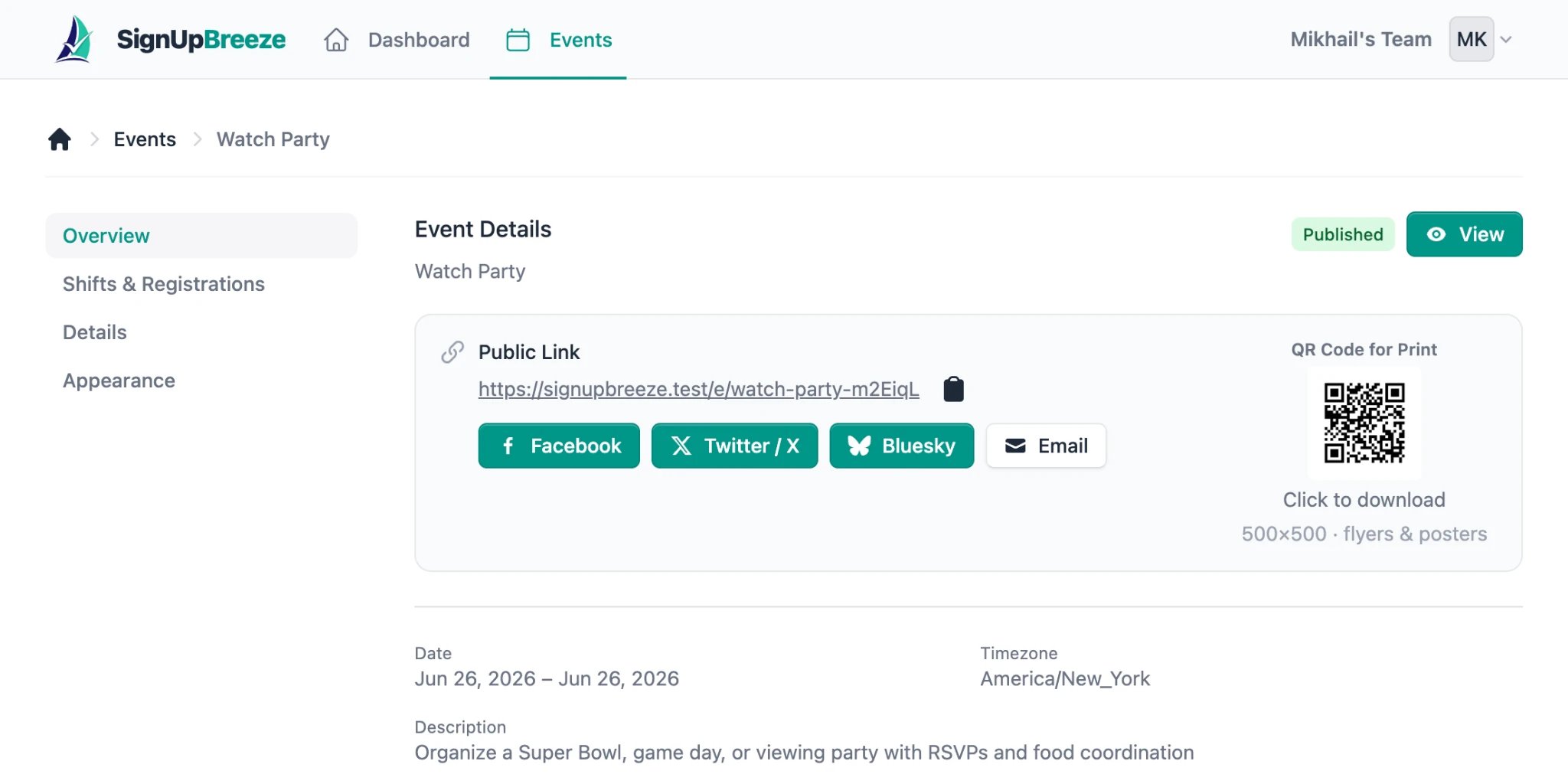
Event Overview